Guide For Employers
The CMx Workmed user guide for employers.
Quick Guide for Employers
If your preferred clinic for workplace & pre-employment medicals has started using CMx Workmed, it means your candidates will benefit from convenient smartphone-based health surveys, attendance instructions, and SMS reminders. It also means simple and secure access to medical assessment reports for you in our secure download portal.
Creating an Account
A CMx Workmed account is necessary for you to download the finalised medical reports for your candidates. Your clinic may contact you to determine the best person at your company to register an account. This person will have their name and email address added to our system and will be emailed a secure link where they can set a password.
This account will be emailed alerts whenever:
Let your clinic know if you would like multiple users at your company to receive these emails - additional staff members can be added by the clinic's CMx Workmed administrator.
This account will be emailed alerts whenever:
- A new medical assessment is booked at the clinic
- An assessment is rescheduled or cancelled by the clinic
- A medical report is complete and ready for download
- Any other files uploaded by the clinic are available to download
Let your clinic know if you would like multiple users at your company to receive these emails - additional staff members can be added by the clinic's CMx Workmed administrator.
Booking in Candidates/Employees
To book in a candidate, simply use the clinic's regular process for making such bookings. It might be a phone call or an email.
The clinic will require the date of birth and mobile number as well as the full name of your candidate. These details are entered into CMx Workmed so the candidate can be SMS'd a link to their online health survey, where they must verify their identity using their surname and date of birth.
The candidate's email address can be used instead of a mobile number, but a mobile is preferred as it is more likely to be read and accessed on a touchscreen phone - the online survey is designed for mobile access.
It's best to let your candidate know beforehand to expect the SMS from us, so they know what's going on. The SMS and survey link will contain instructions including the location, date, and time of the assessment for them to attend the clinic. You may wish to link them to our Candidate Quick Guide, or hand them an informational flyer.
The clinic will require the date of birth and mobile number as well as the full name of your candidate. These details are entered into CMx Workmed so the candidate can be SMS'd a link to their online health survey, where they must verify their identity using their surname and date of birth.
The candidate's email address can be used instead of a mobile number, but a mobile is preferred as it is more likely to be read and accessed on a touchscreen phone - the online survey is designed for mobile access.
It's best to let your candidate know beforehand to expect the SMS from us, so they know what's going on. The SMS and survey link will contain instructions including the location, date, and time of the assessment for them to attend the clinic. You may wish to link them to our Candidate Quick Guide, or hand them an informational flyer.
Downloading Reports
Once a report has been finalised by the clinic, an email will be sent to your account's email address advising that the report can be downloaded from our secure website. Note that we do not email these reports directly, as email is not considered to be sufficiently secure in line with Australian eHealth privacy standards.
To download your reports and files, simply log in to CMx Workmed using the email address you confirmed with the clinic and the password you set. All reports and files are in PDF format.
To download your reports and files, simply log in to CMx Workmed using the email address you confirmed with the clinic and the password you set. All reports and files are in PDF format.
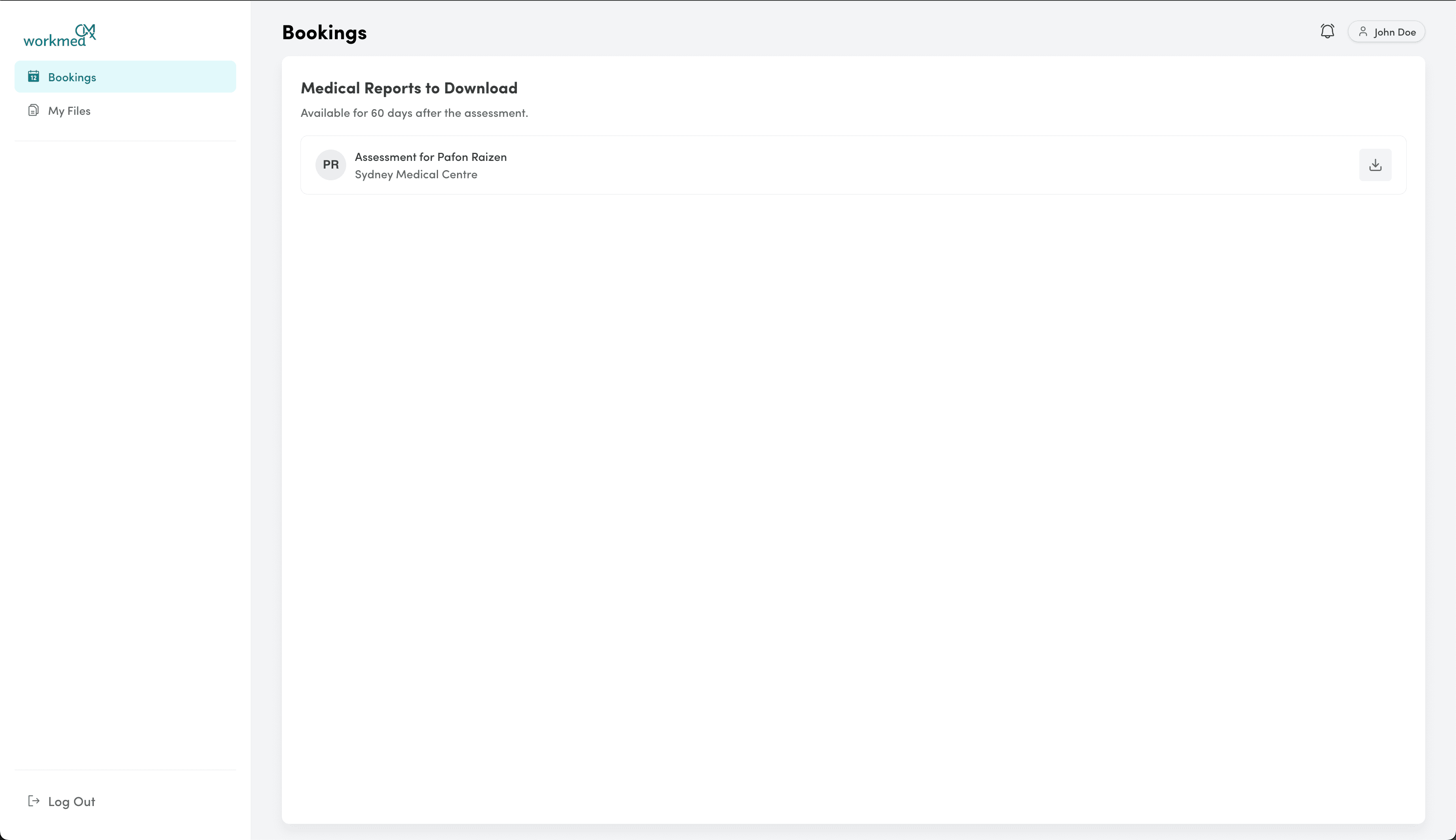
Other Files may be invoices, report addendums, or pending results that arrived too late to be added to the original report. Note that CMx Workmed is not a file storage service. Reports and files are stored temporarily to facilitate secure downloads, and are deleted after 60 days. Make sure you download your copies!